How to Increase Tally Productivity Using AI: Practical Workflows and Prompts
Improve TallyPrime productivity with AI-assisted Excel imports, ledger review, bank-reconciliation exceptions, receivables and MIS—with reusable prompts and control checks.
 FREE PRACTICE PACK · SYNTHETIC DATA
Try it yourself: Tally Workflow
Practise ledger mapping and voucher checks before a controlled test-company import.
Every workbook sheet and offline demonstration includes the AI for All logo. The dataset is supplied as Excel to retain its branding. No macros, client records or automatic posting.
1. Review the staging data
Open Staging: 12 ledger lines across four fictional vouchers. Each voucher groups its debit and credit lines under one Voucher ID. No actual ledger or customer data is used.
What to check: V001-V003 are balanced and mapped; V004 includes Office Exp (unmapped) and an INR 10 imbalance.
Official workflow reference: TallyHelp Excel mapping guidance ↗
Your team should spend less time cleaning spreadsheets and more time resolving accounting issues. AI can help prepare data, explain import errors, review exceptions and turn reconciled Tally reports into useful commentary. The strongest approach combines Tally’s accounting records, repeatable Excel transformations and human review.
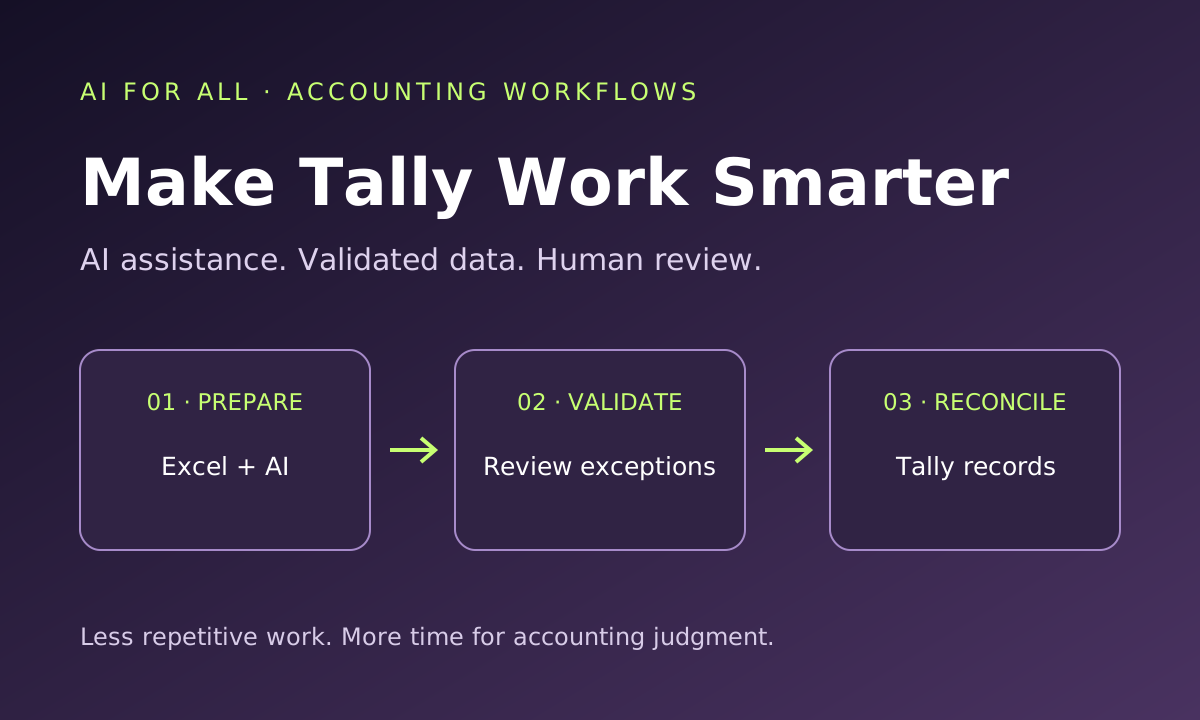
Keep Tally as the accounting system of record. Use AI around a controlled workflow: export → prepare → validate → review → approved import or report → reconcile.
What AI can—and cannot—do with Tally
A chatbot does not automatically have access to your Tally company or post vouchers merely because you ask it to. Working directly with Tally requires a compatible, authorised integration. Excel import, ODBC and bank reconciliation are documented Tally features; using them is not by itself evidence of AI.
This guide describes AI-assisted workflows around TallyPrime. Availability depends on your release, licence, configuration, bank support and any third-party tools. Check those details before adopting a workflow. Avoid assuming that a third-party “AI for Tally” product is an official Tally feature.
Ten practical ways to improve productivity
| Work area | How AI can assist | Essential review |
|---|---|---|
| 1. Invoice capture | OCR-assisted extraction into a staging sheet. | Compare dates, identifiers, line items and totals with the document. |
| 2. Sales and purchase imports | Suggest mappings and identify inconsistent source fields. | Confirm approved masters, voucher structure and control totals. |
| 3. Master-data cleanup | Flag likely duplicate supplier, customer and stock names. | Check identity and history before merging or changing anything. |
| 4. Import troubleshooting | Explain supplied error messages and propose testable fixes. | Test corrected exceptions in a separate company first. |
| 5. Bank reconciliation | Investigate unmatched items and suggest matching candidates. | Confirm evidence; preserve timing differences and unresolved items. |
| 6. Ledger review | Produce rule-based exception lists with source-row references. | Investigate explanations and supporting documents. |
| 7. Receivables | Summarise ageing and draft reviewed collection messages. | Validate due dates, credits, disputes and recipient details. |
| 8. Purchase-register checks | Group invoice mismatches and missing information for review. | Verify statutory treatment independently; matching does not establish eligibility. |
| 9. Monthly MIS | Draft variance commentary from reconciled reports. | Check formulas, classifications, periods and causal claims. |
| 10. Staff support | Convert approved procedures into checklists and training examples. | Match instructions to the installed release and firm policy. |
Workflow 1: sales and purchase data from Excel to Tally
Suppose a client exports invoices from another accounting package or billing system. Re-entering every invoice is repetitive, but importing an unvalidated file can spread an error across hundreds of vouchers.
- Preserve the originals. Keep a dated source export and a current Tally backup. Work in a staging copy.
- Inspect the structure. Determine whether each row represents an invoice, an invoice line or an accounting allocation. Identify the fields linking rows into a voucher.
- List required fields. Typical information includes voucher type, date, source voucher ID, party, ledger or stock item, amount, tax details and bill references. Exact fields depend on the transaction and configuration.
- Map approved masters. Match names to the existing ledger and stock lists. Place uncertain matches in an exception sheet rather than creating near-duplicate masters.
- Prepare the import. Use a suitable Tally sample file or create a mapping template for the source layout where supported. AI can draft a mapping proposal; the preparer must verify it. Import guide ↗
- Validate before posting. Check dates, duplicate source keys, voucher balancing, tax components, inventory allocations and totals.
- Trial a small batch. Use a separate test company with representative simple and complex transactions. Inspect the resulting vouchers.
- Reconcile and approve. Compare source and imported counts, totals and balances before authorising the live batch.
If part of a batch succeeds, identify exactly what posted before retrying. Use a controlled import register and agreed source keys. Similar invoice numbers may occur across suppliers or financial years, so one column alone may not identify a duplicate.
For purchases, compare supplier identity, invoice number, date and amount together. For sales, confirm numbering, party allocation and tax presentation. Inventory vouchers may also need quantities, units, rates, godowns or batches. AI should flag missing information, not fill it with plausible guesses.
Workflow 2: Tally exports to Excel, AI review and MIS
Start with a dated report exported for the correct company and period. Preserve the original; transform a separate working copy. Power Query or tested formulas can repeat stable cleanup steps. AI can help write those transformations and explain exceptions.
Tally documents ODBC extraction of master data such as ledgers and stock items into Excel. This is not unrestricted access to every report: its FAQ distinguishes extracting ledger balances from directly extracting the Trial Balance through ODBC. For transaction analysis, use a suitable supported export or an explicitly designed integration. ODBC guide ↗ · Scope and FAQs ↗
For a monthly MIS, reconcile revenue and expenses to the accounting reports before asking AI for commentary. Specify the unit—rupees or lakhs—and the comparison period. Ask for missing inputs if balance-sheet or cash-flow metrics cannot be calculated from the supplied data.
Workflow 3: resolve bank-reconciliation exceptions
Use Tally’s supported statement-import or Connected Banking reconciliation features where available. After automatic matching, export or inspect the remaining differences. AI can organise possible explanations and matching candidates, while the accountant confirms the evidence. Tally bank-reconciliation guidance ↗
For example, one receipt may settle several invoices, or one bank settlement may represent multiple customer payments less charges. Do not force a match simply because totals look close. Retain the bank reference, book reference, amount, relevant dates, explanation and review status. Unpresented cheques and deposits in transit are not automatically posting errors.
Six reusable prompts
Use anonymised samples and approved tools. Replace placeholders with the actual period, release and scope.
1. Prepare an import mapping
Using these anonymised source headers, sample rows and approved Tally ledger/stock masters, draft a mapping table: source field, target field, transformation, validation and unresolved question. Preserve voucher IDs, dates, tax amounts and bill references. Flag missing masters, duplicate candidates and unbalanced vouchers. Do not invent mappings or post entries.
2. Investigate import errors
I use TallyPrime [RELEASE]. Here are the redacted error messages, sample source rows and mapping template details. Explain likely causes and checks, separating facts from hypotheses. Propose corrections in a separate exception sheet. Do not recommend deleting valid records, disabling controls or importing the whole batch again.
3. Review bank exceptions
Compare these redacted bank and ledger exports for the same account and period. Use dates, amounts and references; identify one-to-many and many-to-one candidates. Preserve source row IDs. Separate matched candidates, timing differences, bank charges and unresolved items. Do not force a match or create balancing entries.
4. Review ledgers for anomalies
Using this anonymised ledger export and the stated entity context, identify unusual balances, duplicate candidates, round amounts and entries near period end. Explain each rule and cite source rows. Treat flags as review exceptions, not proof of fraud or misstatement. List documents needed to resolve them.
5. Prepare receivables follow-up
Using this receivables export as at [DATE], calculate ageing from contractual due dates where available. If due dates are missing, flag them and label any invoice-date ageing separately. Reconcile to the control total. Draft polite reminders using customer aliases; do not send anything or invent collection commitments.
6. Draft management commentary
Using only this reconciled monthly P&L, balance sheet and comparison data, draft a one-page management note. Show source-backed movements, explain formulas and separate observed facts from possible causes. Do not call a receipt revenue or profit cash flow. Ask for missing data rather than inventing ratios.
Common problems and better responses
| Problem | Check first | Controlled response |
|---|---|---|
| Ledger or stock item not found | Spelling, aliases, spaces and the loaded company. | Map to approved masters; review genuinely missing items. |
| Dates imported incorrectly | Text versus real dates, day/month order and financial period. | Apply an explicit date transformation and retest. |
| Amounts or tax allocations disagree | Inclusive/exclusive values, signs, rounding and allocation structure. | Compare sample vouchers against source evidence. |
| Repeated vouchers | Previous successful imports and source-key design. | Isolate duplicates and document the retry batch. |
| ODBC connection fails | Service status, selected company, port and driver compatibility. | Follow Tally’s release-specific setup guidance; keep access on a trusted network. |
Use the actual error text and Tally’s official troubleshooting guide. A generic AI explanation is a hypothesis until verified.
Protect client information and the audit trail
- Use a firm-approved AI environment and confirm its data retention, access and training settings.
- Share the minimum necessary data. Replace names and sensitive identifiers with aliases and retain the mapping securely.
- Never share passwords, OTPs, API secrets or unrestricted company backups with an unverified tool.
- Keep original exports, mapping versions, exception resolutions, approvals and post-import reconciliations.
- Require review before changing masters, posting journals, deleting records or sending collection messages.
- Do not expose Tally or its ODBC service directly to the public internet.
Measure the improvement honestly
Illustrative example: a batch previously took 6 staff-hours including review. Preparation and import take 1.5 hours in the pilot, while exception review and reconciliation take another 1.5 hours. Total effort is 3 hours: 3 hours released, or 50% of the original effort. These are assumed figures, not a measured Tally or AI performance claim.
At an assumed ₹500 per staff-hour, released capacity is valued at ₹1,500 per batch before software, setup and maintenance costs. It is not a cash saving unless a real expense is avoided or reduced. Compare similar batches and track error rates, corrections and rework alongside time.
A seven-day implementation plan
- Day 1: choose one repetitive process and record its current effort and error rate.
- Day 2: confirm the Tally release and document an approved sample export.
- Day 3: prepare a reusable mapping or cleanup process.
- Day 4: create validation rules and an exception register.
- Day 5: test in a separate company and reconcile outputs.
- Day 6: run a reviewed pilot and record every correction.
- Day 7: approve a written procedure, ownership and review checkpoints before wider use.
Useful next steps
Start with read-only analysis or a small validated import. Use AI for Excel for data preparation, explore AI use cases for finance professionals, and use the prompt library to build your team’s approved workflow.
Official resources and tutorial ideas
- TallyHelp: Excel import and mapping templates ↗
- TallyHelp: Sample Excel import files and templates ↗
- TallyHelp: Extract master data into Excel using ODBC ↗
- TallyHelp: Bank reconciliation ↗
- TallyHelp: Import errors and resolutions ↗
- TallyHelp: ODBC data-sharing FAQs ↗
For training, demonstrate a five-voucher trial import, a bank-exception review and a monthly variance report using fictional data. Include the failed checks and reconciliation, rather than showing only a successful upload.