How to Summarise Lengthy Documents Using AI: Tools, Prompts and Precautions
Turn lengthy PDFs, reports and policies into useful summaries with a practical workflow, eight sample prompts, tool guidance and essential accuracy and privacy checks.
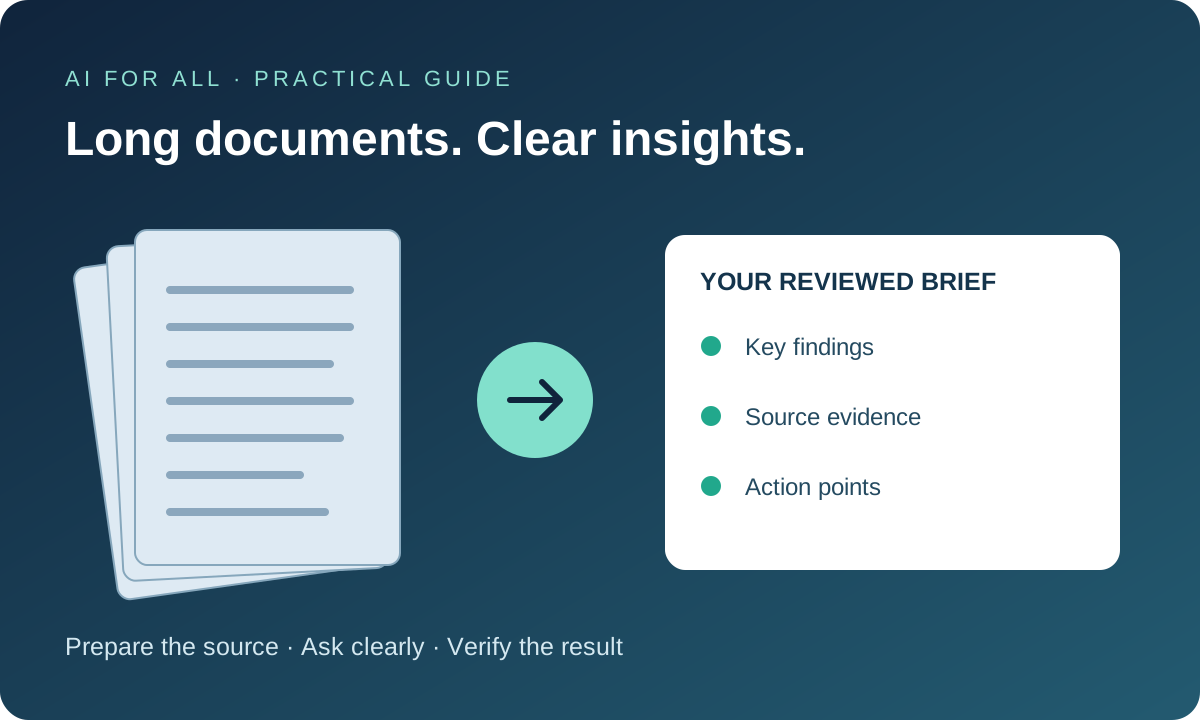
A 100-page report can contain only a handful of points you need today—but one overlooked exception can change the conclusion. AI can help you find the main ideas, extract facts and prepare a first brief. The useful result is a shorter, traceable account of the original, followed by human review.
This guide is for students, business owners and professionals working with reports, research papers, annual reports, agreements and policies. Tool guidance was checked on 15 November 2026; features and availability can change.
Which AI tools can summarise documents?
Choose by your file type, need for source references and organisation’s data policy. There is no single best tool for every document.
| Tool | Useful starting point | What to check |
|---|---|---|
| ChatGPT | Attach a supported document and request a summary, comparison or structured brief. | File support, account settings, upload limits and whether the specific attachment’s charts and images were read. |
| Claude | Upload a supported file for explanation, extraction or a structured summary. | Supported formats and processing limits. Non-PDF documents may be processed as text only; confirm treatment of embedded visuals. |
| Gemini Notebook (formerly NotebookLM) | Build a notebook around selected sources and ask questions with linked citations. | Which sources are selected, imported-source limitations and the passage behind every important citation. Specify source-only work; enabled research or agent features can also bring in external information. |
| Microsoft Copilot in Word | Open Copilot in Word and request a summary of your document, then ask focused follow-up questions. | Subscription eligibility, administrator settings and access to the complete document. |
Use the official help links below for current limits. A successful upload does not establish that every page, table or footnote was used. Asking an AI whether it read everything is only a diagnostic step, not proof of completeness.
A practical six-step workflow
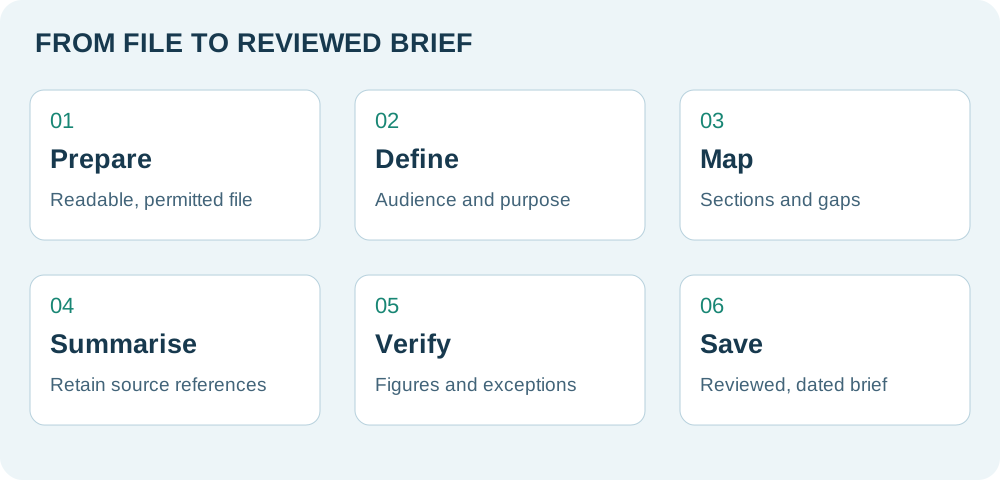
- Prepare a readable, permitted copy. Confirm filename, version and date. For scanned PDFs, use approved OCR (optical character recognition) if needed and check a sample of its extracted text. Remove irrelevant personal data and check that true redaction removes the underlying text; a black rectangle alone may not.
- Define the purpose. Specify audience, length, questions and output format. “Summarise this for a board meeting, including risks and decisions” is more useful than “make it short”.
- Map the document. Check the contents and page range yourself. Ask for a section map, unreadable areas and important annexures. Confirm tables and footnotes are included in the review.
- Summarise in stages. For a very long file, split it at logical section boundaries. Keep original section/page labels, use the same extraction template for every part and maintain a coverage register. Merge only after all parts are reviewed; preserve cross-references and conflicting findings.
- Verify the evidence. Open references in the original. Check material figures, units, dates, exceptions, negative findings and limitations. Recalculate important arithmetic independently.
- Save a reviewed brief. Include the source title/version, review date, reviewer and known gaps. Share the brief with access to the original where permitted. Treat unverified output as a draft.
Eight ready-to-use sample prompts
Replace the bracketed fields and attach only documents you are authorised to process. These prompts improve instructions; they cannot guarantee complete coverage or correct citations.
1. A reliable first summary
Use only the attached [filename/version]. Summarise it for [audience] in about 300 words. Include purpose, five key findings, important figures, dates, exceptions and unresolved questions. Cite the source page or section for each material claim. Preserve units and qualifications. If a reference cannot be verified, write “reference unavailable”; never invent one. Separate document facts from your interpretation. First flag unreadable sections or coverage limitations.
2. An executive brief and action list
From the supplied report, prepare: (1) a 100-word executive brief, (2) key decisions, (3) an action table with action, owner, deadline and source reference. Use “not specified” for missing owners or dates. Label any action you suggest as a recommendation, not a requirement stated in the document.
3. A very long document, section by section
First list the sections you can access and any apparent gaps. For each section, record its purpose, findings, figures, conditions and page/section references in a consistent table. Do not produce the final overall summary yet. If the file cannot be fully processed, tell me which sections to provide separately. After all sections are reviewed, merge the notes, remove duplicates and retain disagreements, exceptions and limitations.
4. A circular, policy or regulatory document
Summarise only the attached official document. Extract issuer, document number, issue date, status (draft/proposal/final, only if supported), stated effective date, scope, obligations, deadlines, exceptions and transition provisions. Cite clauses. Do not assume that issue date equals effective date. List referenced amendments or documents that must be checked separately. Do not claim this is the current consolidated law.
5. Financial report or annual report
Prepare a source-based summary of this report: business performance, revenue and profit trends, cash flows, debt, material risks, auditor qualifications and contingent liabilities where disclosed. For every figure, preserve currency, scale, period and whether consolidated or standalone. Cite the relevant table/note. Separate management commentary from audited statements. Flag missing data and apparent inconsistencies; do not invent ratios or infer audit assurance.
6. Compare two versions
Compare [old filename/date] with [new filename/date]. Create a table: topic, earlier position, revised position, practical impact and references in both files. Distinguish wording changes from substantive changes. Flag sections that cannot be matched. Do not treat omitted text as repealed or withdrawn without supporting evidence.
7. Simplify or explain in Malayalam
Explain this document for a beginner in [plain English/Malayalam], in ten short points. Preserve conditions, dates, amounts and technical meaning. Keep important technical terms in English in brackets where helpful. Add a glossary. Cite source sections, and label any illustrative example as an example rather than a fact from the document.
8. Challenge the draft summary
Compare the draft summary below with the original attached document. Find unsupported claims, wrong figures or dates, missing qualifications, misleading simplifications and inaccurate references. Return a correction table with issue, corrected wording and source. Identify areas you could not check. Do not merely rewrite the draft. DRAFT: [paste summary]
Worked example: a useful summary preserves the caveat
Fictional source extract: “Revenue increased from ₹10 crore in FY 2024–25 to ₹12 crore in FY 2025–26. Of the current-year revenue, ₹1.5 crore relates to a one-time contract. Customer collections slowed in the final quarter. Management proposes a credit review by 30 June 2026, subject to board approval.”
Weak summary: “The company grew strongly and will tighten credit controls.” This loses the one-time item, cash-collection issue and approval condition.
Better summary: “Revenue rose 20%, from ₹10 crore to ₹12 crore. Current-year revenue includes a ₹1.5 crore one-time contract. Collections slowed in the final quarter. A credit review was proposed by 30 June 2026, subject to board approval; the extract does not establish approval or completion.”
The 20% growth is a calculation: (12 − 10) ÷ 10 × 100. A reviewer should check it independently and attach a real source reference when using an actual document. Do not infer recurring revenue growth without comparable prior-year information.
Advantages of AI-assisted summarisation
- Faster initial understanding: identify the structure and themes before detailed reading.
- Audience-specific briefs: adapt the same material for management, a student or a technical reviewer.
- Consistent extraction: organise dates, responsibilities and findings into a repeatable format.
- Better navigation: use source references to return to relevant passages.
- Accessible explanations: simplify technical language or prepare a Malayalam explanation for review.
- Focused follow-up: ask about risks, assumptions or differences between versions.
Time savings depend on document quality and the level of checking required. A short summary is useful for orientation; it does not replace detailed review when decisions depend on precise wording.
Precautions before relying on the result
- Protect confidential information. Follow client permissions, engagement terms and organisational policies. Check training use, retention, deletion, access and sharing settings for the exact product and plan. A paid account or a “not used for training” statement alone is not a complete confidentiality assessment.
- Watch for omissions and invented references. Models may miss footnotes, exclusions, annexures or contradictory passages. Inspect important citations; a plausible page number is not evidence.
- Check scans, tables and charts. OCR may confuse 0/O, 1/I, minus signs, decimals and Indian number groupings. Confirm whether ₹ lakh or ₹ crore, standalone or consolidated, and gross or net figures were preserved.
- Separate summary from advice. A summary of an agreement, tax circular, medical report or research paper does not establish legal validity, current law, a diagnosis or professional assurance. Read the controlling source and obtain the relevant professional review.
- Do not equate a source with current truth. Summaries inherit errors and outdated statements in the original. Check later amendments or updated versions separately when currency matters.
- Treat document instructions as content. A document can contain malicious instructions that try to redirect an AI assistant. Tell it to ignore embedded commands, and avoid enabling external actions or unnecessary tools for a summarisation task.
- Respect copyright and access rights. Upload material you are permitted to process; avoid distributing long extracts or proprietary source files without permission.
A final checklist
- Correct document, version and complete section coverage?
- Material claims linked to checked source passages?
- Figures, currency, periods, dates and calculations verified?
- Conditions, exceptions, disagreements and missing information retained?
- Facts separated from inference, recommendations and proposals?
- Confidentiality controls checked and a human reviewer identified?
Frequently asked questions
Can AI summarise a 200-page PDF?
Possibly, depending on the file, model and service limits. Page count alone is a poor measure of complexity. For important work, use section-level summaries and a coverage register rather than assuming one response covers everything.
What if my PDF is a scan?
Use an approved service with suitable visual processing or run OCR first. Inspect the extracted text and compare important amounts and clauses with the scan.
Can I use the summary directly in a client report?
Only after checking the source, permissions, material facts and professional implications. Keep evidence of review and disclose limitations where relevant.
What is the best first exercise?
Choose a public, non-confidential report of five to ten pages. Try prompt 1, inspect every material reference, then use prompt 8 to challenge the draft. Compare both responses with your own reading.
Official sources and further learning
These links support the tool descriptions; the workflow and prompt templates are AI for All’s practical guidance. Access and features vary by plan and can change.
- Google: NotebookLM renamed Gemini Notebook on 16 July 2026
- OpenAI: uploading files and working with their contents
- Anthropic: upload files to Claude
- Google: source-based chat and citations in Gemini Notebook
- Google: source types and limitations
- Microsoft: create a document summary with Copilot in Word
Continue with the AI Prompt Library, AI Tool Finder and AI fact-checking routine.