Shadow AI in the workplace: security, risk and governance
The hidden AI tools, personal accounts and connected agents inside everyday work—and a practical approach to discovering them, protecting information and establishing accountability.
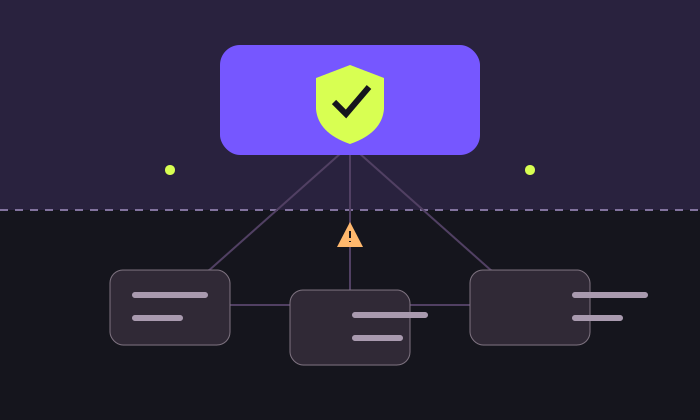
A staff member pastes a client document into an AI chatbot to finish a report before a deadline. A colleague installs a browser assistant. A meeting bot starts recording a discussion. Each action may be intended to improve productivity. Together, they can create an information flow the organisation has never reviewed.
This is Shadow AI: AI used outside an organisation’s knowledge, approval or governance. It includes personal accounts, unreviewed extensions, embedded AI features and agents—not just standalone chatbots. Microsoft’s definition highlights the absence of organisational oversight. [1]
Can we identify which AI is being used, what information it receives, what actions it can take and who is accountable for the result?
An approved brand name is not enough. The account, plan, settings, connected systems and specific use case also matter. Conversely, an unfamiliar tool is not automatically malicious. The task is to understand the exposure and decide what is acceptable.
Where the risk enters
1. Information leaves an understood boundary
Prompts, attachments, transcripts and screenshots can contain customer information, employee details, credentials, source code or commercial plans. Ask where inputs and outputs are stored, who can access them, how long they remain and what deletion means. Do not assume every AI service trains on every prompt—or that a promise of “no training” resolves retention, access and sharing risks.
2. A convincing answer becomes an unchecked decision
AI can invent references, misread a table or produce a plausible explanation unsupported by the evidence. In a professional firm, that can affect a client response, working paper or management recommendation. The exposure includes the output and the reliance placed on it, not only a potential data leak. NIST’s generative AI profile identifies a broader set of risks, including confabulation, privacy and information integrity. [3]
3. Tool permissions magnify the consequences
A drafting assistant and an agent authorised to send mail, change files or update records require different controls. A malicious instruction hidden in retrieved content may attempt to redirect an AI system. OWASP identifies this as a prompt-injection risk; retrieval and fine-tuning do not eliminate it. Limit what the agent can access or do even when its language output looks trustworthy. [4]
4. Accountability disappears between teams
Who approved the supplier? Who verifies the output? Who investigates an incident when the account belongs to an employee? Unclear ownership makes correction, access removal and evidence collection harder. Contractual confidentiality, professional duties and applicable privacy or sector rules need to be assessed for the actual data and use—not inferred from a product’s marketing.
Four situations that deserve attention
These are illustrative workplace scenarios, not reports of named organisations suffering a breach.
The helpful analyst
An analyst uploads a client ledger to a personal AI account to draft a management summary.
Exposure: The organisation may lose control over retention, sharing and access to client information.
Better control: Provide an approved workspace for the defined task; minimise the input and confirm client-data handling requirements.
The invisible meeting assistant
An employee enables a transcription bot that joins client meetings and stores recordings with another supplier.
Exposure: Participants may not understand the recording, retention or access arrangements.
Better control: Approve recording tools, communicate the recording arrangements and define access, retention and deletion.
The over-connected extension
A browser assistant requests permission to read every page and connect to the employee’s mailbox.
Exposure: Broad permissions can expose far more information than the immediate task requires.
Better control: Review extensions and app consent, restrict permissions and remove unnecessary integrations.
The enthusiastic agent
A team connects an agent to shared files and lets it email external recipients without a review step.
Exposure: A misleading input or incorrect inference can turn an answer into an external action.
Better control: Separate read and write permissions; use narrow access, approval gates and a way to suspend execution.
Why a blanket ban is rarely a complete programme
A restriction may be appropriate for a particular data class, tool or activity. But a policy also needs to explain the permitted route. Employees need a practical way to request a tool, an approved option for common tasks and training that matches their work. Otherwise, management can end up with a rule on paper and little understanding of actual use.
Offer a low-friction declaration process for existing tools. Ask people to describe the task they are trying to complete, rather than only naming the application. Use that information to decide whether to approve, replace, restrict or stop the workflow.
A governance framework that can work in practice
NIST organises AI risk management around Govern, Map, Measure and Manage. Its framework and playbook are voluntary resources. The following operating model is an editorial adaptation for workplace AI, not a certification checklist. [2]
| Function | Practical action | Evidence to retain |
|---|---|---|
| Govern | Name an accountable sponsor, assign approvals and define acceptable use. | Policy, owners, approval criteria and exception decisions. |
| Map | Identify tools, users, data flows, recipients and action permissions. | AI inventory and a short use-case assessment. |
| Measure | Test accuracy, data handling, access and failure behaviour. | Representative test cases, findings and residual-risk decisions. |
| Manage | Apply controls, monitor changes, handle incidents and retire access. | Control records, reviews, incident actions and offboarding evidence. |
Start with a usable inventory
Record the tool and supplier, business purpose, owner, account or tenant, user group, data classes, integrations, permissions, retention settings, approval status and next review date. Include AI embedded in existing software. A procurement register alone may miss a newly enabled feature or a personally authorised connector.
Approve the use case and its data
| Illustrative tier | Example | Suggested approval route |
|---|---|---|
| Low exposure | Brainstorming from public material without connected accounts. | Approved tool, basic training and normal output review. |
| Controlled internal use | Drafting from internal procedures or limited operational data. | Business-owner and security review; defined data boundaries. |
| Sensitive or consequential use | Client records, employee data or agents with external write access. | Documented assessment, relevant specialist review and explicit controls. |
| Disallowed use | Exposing credentials or processing restricted information without approval. | Stop the activity and follow the reporting process. |
These are suggested internal tiers, not statutory legal categories. Risk depends on the actual information, scale, access and consequences.
Review the supplier and enforce the boundary
Check the contract and product configuration: training use, retention, deletion, subprocessors, hosting locations, administrative access, export, incident support and account ownership. Confirm the terms apply to the exact plan being purchased. Use organisation-managed identities where appropriate, require strong authentication and restrict app consent and agent permissions.
Where proportionate and technically supported, combine approved-app controls, data classification, data-loss prevention and access monitoring. Microsoft’s deployment guidance provides one product-specific example of discovery, restrictions and governance. Controls are not universal: copied text, personal devices and encrypted traffic may limit visibility, and tool availability and licensing vary. [1]
Monitor with purpose and proportion
Explain what monitoring collects, restrict who can see it and define retention. Prefer the minimum information needed for the control objective. A prompt log can itself become a store of sensitive information. Security visibility should not silently expand into unrestricted employee surveillance.
A starting policy employees can understand
Illustrative policy text: Use only approved AI tools, organisation-approved accounts and authorised data for work. Approval applies to the stated use case and permissions. Do not submit passwords, access tokens or restricted information to an unapproved service. Verify material facts, calculations and references before relying on an output. Obtain approval before enabling connectors, recording meetings or allowing an agent to send messages or change records. Report accidental disclosures and unexpected actions promptly through the organisation’s incident channel.
Adapt this wording to your operations, employment practices, contracts and applicable requirements before adoption. Give staff examples of permitted and prohibited inputs, a named contact and a response target for requests.
If someone has already uploaded sensitive information
- Contain the exposure: stop further uploads or execution, suspend the relevant integration where appropriate and escalate to the designated incident owner.
- Preserve useful evidence: record the tool, account, time, information involved, recipients and actions taken. Do not destroy logs to hide the incident.
- Address access: revoke unnecessary tokens and rotate credentials if exposed. Check linked accounts and sharing permissions.
- Investigate with the supplier: establish retention and access, request containment or deletion where available and record what can actually be confirmed.
- Assess consequences: involve security, privacy, legal and the relevant business owner to determine contractual, client or regulatory actions and applicable timelines.
- Close the gap: correct the workflow, update controls and training, and verify that containment worked.
Deleting a visible chat does not by itself establish that every retained copy has been removed. NCSC’s deployment guidance supports planning for incidents and making data-use responsibilities clear. [5]
A practical first 30 days
| Period | Focus | Responsible lead |
|---|---|---|
| Days 1–7 | Appoint a sponsor, publish interim rules and invite staff to declare current use. | Management with IT or security. |
| Days 8–14 | Build the inventory, map sensitive flows and prioritise exposed credentials or broad permissions. | Security, operations and data owners. |
| Days 15–21 | Approve tools for common tasks, document assessments and pilot the controls. | Business owners with relevant specialists. |
| Days 22–30 | Train staff, practise incident reporting and schedule the next review. | Managers, HR and security. |
This is a suggested implementation sequence, not a compliance deadline. Smaller firms can combine roles while retaining clear accountability.
Measure what changes behaviour
Track the proportion of declared uses assessed, connected agents with named owners, approval turnaround, high-risk exceptions awaiting action and material output errors. Record incident reporting and closure times. Interpret a rise in disclosures carefully: it may reflect better reporting rather than a sudden increase in unsafe use.
What this means for a professional firm
A CA, legal or consulting practice should make client-information boundaries explicit. A document-cleansing or summarisation task can still expose identities through transaction details, filenames and metadata. Removing a name does not necessarily anonymise the record. Maintain client separation, restrict integrations to the matter or engagement and require professional review of advice and working-paper conclusions.
The practical objective is an approved route that employees can actually use, with enough visibility to identify mistakes and enough control to limit their consequences. Governance becomes effective when people know what is permitted, how to get help and what to do when something goes wrong.