What Is Artificial Intelligence? A Beginner’s Guide with 10 Everyday Examples
Learn what artificial intelligence is, how it works and how to use it, with ten everyday examples, beginner prompts, benefits, limitations and FAQs.
Beginner guide · Reading time: 8–10 minutes
Artificial intelligence, commonly called AI, is changing how we search for information, study, work, communicate, create images, and solve everyday problems.
But what exactly is artificial intelligence? How does it work? And do you need technical knowledge to use it?
This beginner-friendly guide explains AI in simple language, with ten practical examples you may already encounter in daily life.
What Is Artificial Intelligence?
Artificial intelligence (AI) is a field of computer science focused on building systems that perform tasks commonly associated with human intelligence, such as understanding language, recognising patterns, making predictions, and generating content.
For example, when you ask an AI assistant to draft an email, explain a difficult topic, or summarise a document, it processes your instructions and generates a response.
AI does not necessarily think, understand, or experience the world in the same way humans do. Its capabilities depend on the system, the information available to it, and how it has been designed and trained.
Artificial Intelligence in Simple Words
Think of AI as a technology that helps computers recognise patterns and perform certain complex tasks.
A traditional calculator follows mathematical instructions to calculate an answer.
An AI-powered application might examine a spreadsheet, identify trends, explain possible reasons for changes, and suggest what to investigate next.
However, its conclusions must be checked against the underlying data.
How Does Artificial Intelligence Work?
Many modern AI systems learn patterns from large collections of examples during training.
A simplified explanation involves four stages:
- Training data: The system learns statistical patterns from examples such as text, images, audio, or numerical information.
- Model training: Algorithms adjust the model's internal parameters to improve performance on particular tasks.
- User input: A person enters a question, uploads permitted information, or provides an instruction.
- Output: The model produces a prediction, classification, recommendation, or generated response.
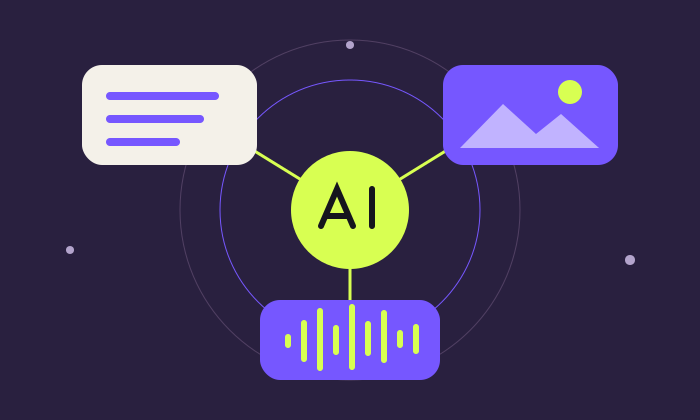
Different AI systems work differently. Some classify images, some predict numerical outcomes, and others generate text, pictures, audio, or video.
What Is Generative AI?
Generative AI is a category of artificial intelligence capable of producing new content based on learned patterns and user instructions.
Common examples include:
- ChatGPT for writing, learning, brainstorming, and analysis.
- Gemini for multimodal assistance and productivity.
- Claude for working with text, documents, and analytical tasks.
- AI image generators for creating illustrations and visual concepts.
- AI music generators for creating original audio and songs.
Generative AI is useful, but its outputs are not automatically accurate, original in a legal sense, or suitable for every professional application.
10 Everyday Examples of Artificial Intelligence
1. Writing Emails and Messages
AI assistants can convert rough notes into professional emails, meeting invitations, customer responses, and formal letters.
Example prompt:
"Draft a polite email requesting a meeting next Monday. Keep the tone professional and the message below 120 words. Do not invent the meeting time."
Benefit: Saves drafting time and improves clarity.
Remember: Check names, dates, facts, and tone before sending.
2. Learning Difficult Subjects
Students can use AI to understand mathematics, science, economics, accounting, history, and other subjects.
Example prompt:
"Explain compound interest to a 15-year-old student using a simple numerical example. Then ask me three questions to test my understanding."
Benefit: Provides explanations adapted to different learning levels.
Remember: Verify calculations and use textbooks or reliable references for important facts.
3. Analysing Excel Spreadsheets
AI tools can assist with formulas, data cleaning, summaries, charts, and trend analysis.
Example:
A business has monthly sales of ₹4,00,000, ₹4,50,000, and ₹5,20,000.
AI can help calculate that sales increased by 12.5% in the second month and approximately 15.6% in the third month.
Benefit: Makes data analysis more accessible to beginners.
Remember: Independently verify all calculations and avoid uploading confidential client information to unapproved services.
4. Planning Travel
AI can suggest destinations, organise sightseeing, estimate indicative budgets, and prepare itineraries.
Example prompt:
"Prepare a five-day family itinerary for Bangkok, starting from Kochi. Include major attractions, transport options, and an indicative budget in Indian rupees. Clearly identify costs requiring current verification."
Benefit: Speeds up initial travel research.
Remember: Check live flight prices, opening hours, visa requirements, and booking availability separately.
5. Creating Images and Posters
Generative AI can help create illustrations, posters, advertisements, social media visuals, and educational graphics.
Example prompt:
"Create a modern educational poster explaining five uses of artificial intelligence. Use a blue-and-white colour scheme, clear icons, and a beginner-friendly layout."
Benefit: Helps non-designers develop visual concepts.
Remember: Review text accuracy, usage rights, and whether the image contains misleading details.
6. Translating and Improving Language
AI tools can translate, simplify, and improve writing across many languages, including English and Malayalam.
Example prompt:
"Translate this English paragraph into natural Malayalam suitable for a school student. Preserve the meaning and avoid unnecessarily technical words."
Benefit: Makes learning materials more accessible.
Remember: Human review is important for legal, medical, technical, and culturally sensitive translations.
7. Summarising Long Documents
AI can help summarise lengthy reports, meeting notes, research papers, and policy documents.
Example prompt:
"Summarise the attached document in five key points. Mention important dates, responsibilities, and unresolved issues. Refer only to the supplied document."
Benefit: Reduces initial reading and information-processing time.
Remember: A summary can omit critical qualifications. Review the original document before making decisions.
8. Managing Personal Budgets
AI can help categorise expenses, explain spending patterns, and suggest budgeting approaches.
Example:
A person provides anonymised monthly expenses for groceries, transport, rent, and entertainment.
AI can organise the data into a budget and identify categories where spending has increased.
Benefit: Supports financial awareness and planning.
Remember: Avoid sharing banking credentials or unnecessary personal financial information.
9. Customer Support and Business Communication
Businesses can use AI-powered assistants to answer common questions, draft customer responses, and organise support requests.
Example:
An online store uses an assistant to explain its published return policy and guide customers to the correct support channel.
Benefit: Improves response consistency and reduces repetitive work.
Remember: The assistant should escalate unresolved matters to a human and avoid inventing policies or commitments.
10. Accessibility and Everyday Assistance
AI can support speech-to-text transcription, image descriptions, language assistance, and other accessibility features.
Example:
A speech-recognition tool converts spoken notes into editable text.
Benefit: Helps users interact with digital information in different ways.
Remember: Accuracy varies with language, accent, recording quality, and context. AI assistance should not replace accessibility testing or necessary human support.
What Are the Main Types of AI?
AI can be classified in several ways. For beginners, three useful distinctions are:
Narrow AI
AI designed for particular tasks, such as speech recognition, recommendation systems, or fraud detection.
Most deployed AI systems fall within this broad category.
Generative AI
AI systems that generate content, including text, images, audio, video, and code.
Artificial General Intelligence (AGI)
A proposed form of AI with broad, flexible capabilities across intellectual tasks.
There is no universally accepted test or definition establishing that AGI has been achieved. Claims about AGI should therefore be evaluated carefully.
What Are the Benefits of Artificial Intelligence?
AI can provide several practical advantages:
- Productivity: Helps automate or accelerate repetitive tasks.
- Learning: Provides explanations, exercises, and feedback.
- Creativity: Supports brainstorming, writing, design, and multimedia production.
- Data analysis: Assists in finding patterns and preparing summaries.
- Accessibility: Helps people interact with information through different languages and formats.
These benefits depend on appropriate implementation, reliable data, and human oversight.
What Are the Limitations and Risks of AI?
AI is not infallible.
Important limitations include:
- Incorrect answers: AI can produce convincing but inaccurate information, sometimes called hallucinations.
- Privacy risks: Sensitive data may be exposed if uploaded to unsuitable services.
- Bias: Outputs may reflect limitations or biases in training data and system design.
- Outdated information: Some models may lack access to current information.
- Overdependence: Excessive reliance on AI can weaken independent checking and critical thinking.
- Copyright and ownership concerns: AI-generated content may require legal and licensing review before commercial use.
The safest approach is to use AI as an assistant while retaining human responsibility for important decisions.
How to Start Learning AI for Free
You do not need programming experience to begin learning artificial intelligence.
Follow this simple learning process:
Step 1 — Understand the basics
Learn what AI is, what generative AI can do, and where it makes mistakes.
Step 2 — Try an AI assistant
Experiment with a simple, non-confidential task such as drafting an email or explaining a school topic.
Step 3 — Learn prompting
Write instructions that clearly describe the task, context, desired output, and constraints.
Step 4 — Practise with real-life examples
Try summarising a public document, preparing a travel plan, or analysing fictional spreadsheet data.
Step 5 — Verify your results
Compare AI answers with trusted sources, calculations, and your own judgement.
Step 6 — Follow a structured learning roadmap
Use the free 30-day AI learning roadmap on AI for All to build skills through regular practice.
Frequently Asked Questions About Artificial Intelligence
1. What is artificial intelligence in simple words?
Artificial intelligence is technology that enables computers to perform tasks such as recognising patterns, understanding language, making predictions, and generating content.
2. Is ChatGPT the same as artificial intelligence?
No. ChatGPT is an AI application. Artificial intelligence is the broader field that includes many different technologies and applications.
3. Can I learn AI without coding?
Yes. You can begin using AI assistants, learning prompt writing, and understanding AI applications without programming knowledge. Coding becomes more useful for advanced development.
4. Is artificial intelligence free to use?
Some AI tools offer free access or limited free tiers. Others require paid subscriptions or charge based on usage. Pricing and usage limits may change.
5. Can AI replace human jobs?
AI can automate parts of certain jobs and change the skills required for many roles. The impact differs by occupation, industry, and the way organisations adopt technology.
6. Can AI give wrong answers?
Yes. AI can produce incorrect facts, calculations, citations, or explanations. Important information should be independently verified.
7. What is the best way for students to use AI?
Students can use AI to understand concepts, generate practice questions, organise revision plans, and receive feedback while independently checking the answers.
8. Can I use AI in Malayalam?
Yes. Several AI assistants support Malayalam input and output, although quality varies. Important translations and technical explanations should be reviewed.
Conclusion: AI Is a Skill Everyone Can Learn
Artificial intelligence is no longer limited to programmers, researchers, or large technology companies.
Students can use it for learning. Professionals can use it for analysis and communication. Businesses can use it to improve selected workflows. Everyday users can explore AI for planning, creativity, and productivity.
The key is not simply learning to use AI tools. It is learning how to ask useful questions, evaluate results, protect information, and apply AI responsibly.
Start with one small task, verify the output, and gradually build your skills.
Continue learning with AI for All:
- Free 30-Day AI Learning Roadmap
- AI Learning Paths
- AI Prompt Library
- AI Tool Finder
- Learn AI in Malayalam
- Free AI Quiz
AI for All — Making Artificial Intelligence Accessible, Understandable, and Useful to Everyone.
Sources and further reading
For the underlying concepts and reliability limitations, see these reference materials. The everyday prompts and examples above are illustrative learning exercises.