The Rise of Multimodal AI: Combining Text, Vision, and Audio
How AI connects words, images and sound—and what it means for document review, learning, accessibility, creative work and the future of human–computer interaction.
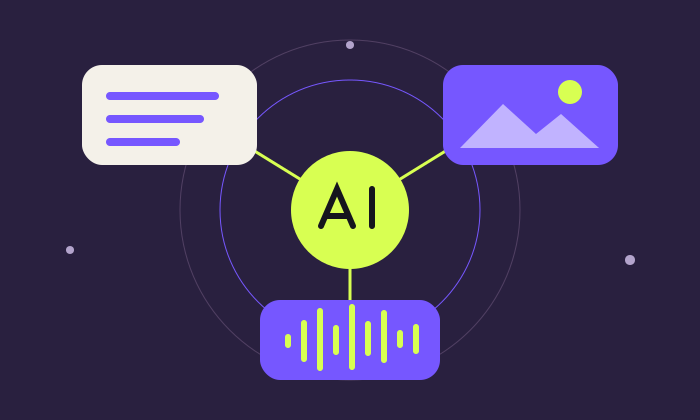
You point a camera at a diagram, ask a question aloud and receive a spoken explanation. You upload an invoice image, describe an inconsistency and ask for a structured review. In each case, the conversation contains more than words typed into a box.
This is the promise of multimodal AI: systems that work across different forms of information, such as text, images and audio. Video adds changing visual information over time, often alongside sound. Combining these inputs can give an assistant context that a text-only description would miss.
The important change is a richer interface to information. More context can help, but more modalities do not guarantee better judgment or a correct answer.
What counts as a modality?
| Modality | What it contributes | Example task |
|---|---|---|
| Text | Instructions, explanations, structured facts and written context. | Explain a policy or draft a response. |
| Vision | Visible content and layout in photos, diagrams, charts or screenshots. | Compare a chart with the surrounding commentary. |
| Audio | Speech and, where supported, other sounds and aspects of delivery. | Discuss a lesson aloud or produce a transcript. |
| Video | Visual information across time, sometimes combined with audio. | Summarise a recorded demonstration with timestamps. |
A system may accept several kinds of input yet produce only text. Another may accept audio and images and reply with speech. Always check the specific model, product and mode. Understanding a photograph is a different capability from generating a new photograph.
How the pieces come together
One approach: connect specialist components
A system can transcribe speech into text, extract text from an image using optical character recognition, pass those results to a language model and convert its response to speech. This can be useful and inspectable. It can also lose information: a transcript may omit a meaningful sound, while extracted text may lose a table’s layout.
Another approach: models trained across modalities
Multimodal models can be trained to relate information across text, images, audio or video. Google’s Gemini research describes a model family developed for multimodal capabilities. The practical idea is that an image need not be reduced to a short written description before the model can work with it. [5]
These approaches are not mutually exclusive. A product may combine a multimodal model, document extraction, retrieval and external tools. Users should judge the whole workflow—including what information reaches the model—rather than relying on a “multimodal” label.
Image + questionInterpretation
Relate the evidenceResponse
Explain + flag gaps
Documented examples you can explore
1. Real-time voice and visual interaction: Gemini Live API
Google’s Live API documentation describes continuous audio, image and text inputs with spoken responses. It supports capabilities such as interruptions, transcription and tool use. This provides building blocks for conversational applications that can use visual context while a user speaks. It is a developer capability; a particular consumer app may offer a different feature set. [1]
Why it matters: a learner could ask about a visible diagram without typing a full description. The application still needs to manage camera access, latency, interruptions and mistakes.
2. Image questions and document review: Claude vision
Anthropic documents image inputs through Claude’s interface and API. That enables questions about visible content, such as a chart or screenshot. Its documentation also discusses limitations: image quality, small details and precise visual interpretation can affect results. Reading an image does not establish that every number was extracted correctly. [2]
Why it matters: a reviewer can ask for a first explanation of a visual document, then compare material details with the original and use source data for calculations.
3. Accessibility: Seeing AI
Microsoft’s Seeing AI project documents capabilities that turn visual information into spoken assistance, including reading text, describing scenes and helping identify products. It is a concrete example of visual AI serving everyday accessibility needs. Supported features and availability should be checked in the current app. [3]
Why it matters: an accessible interface can make information easier to obtain. An AI description should not be treated as a guaranteed safety assessment of the surroundings.
4. Finding information across documents: multimodal search
Microsoft’s Azure AI Search documentation describes retrieving across text and images in documents. This can help connect a natural-language query with information represented in a diagram or image, rather than relying only on matching written keywords. The search application still needs retrieval configuration, appropriate permissions and checks that the evidence supports the answer. [4]
Six practical uses at work and at home
The following are illustrative workflows, not claims that every product supports every input or that these are independently tested deployments.
| Situation | Combine these inputs | Ask for | Human check |
|---|---|---|---|
| Invoice review | Invoice scan + written extraction instructions. | Fields, missing details and uncertain readings. | Compare supplier, date, amounts and tax fields with the original. |
| Management reporting | Chart image + underlying table + business context. | An evidence-based explanation of trends. | Recalculate figures and challenge unsupported causes. |
| Meeting follow-up | Authorised recording + agenda + approved notes. | Actions, decisions and unresolved questions. | Confirm speaker attribution, names, owners and deadlines. |
| Learning | Diagram + spoken question. | A step-by-step explanation and a practice question. | Check technical details against the course material. |
| Travel | Sign or menu photo + language preference. | A translation with unclear text identified. | Confirm important directions, restrictions or dietary details. |
| Creative work | Reference image + written brief + voice notes. | A concept outline or production plan. | Check rights, brand requirements and consistency with the brief. |
A better prompt for a multimodal task
Review the attached chart and source table. Explain the main changes using only these materials. Separate what is visible, what the numbers establish and what remains uncertain. Identify any unreadable labels. Do not invent causes. Cite the relevant row, page or timestamp where available, and list the checks I should perform before using the conclusion.
Make each attachment’s role explicit. For example, name one file “original invoice” and another “ledger extract”. Ask the assistant to identify which source supports a claim. If two inputs disagree, require it to report the conflict rather than silently choose one.
For audio or video, request timestamps for significant claims and an “unclear” marker for uncertain speech. For numbers, keep source spreadsheets available. A chart image is useful context, but the underlying data is usually the better basis for exact calculations.
Where multimodal AI can still fail
It may miss the detail that matters
A blurred decimal, a cropped label or a partially visible page can change an interpretation. Speech recognition may confuse names or amounts. Video processing may sample frames and miss a brief event; a system that accepts a video does not necessarily inspect every frame at full resolution.
Different sources may not line up
An audio comment may refer to an earlier slide. A screenshot may show an old value while the attached spreadsheet contains a revision. Ask the system to identify source versions and align events before summarising them.
Fluent speech can disguise uncertainty
A natural voice can make a weak answer feel authoritative. Tone does not prove a person’s feelings, intent or truthfulness. Treat material conclusions as claims to verify, regardless of how confidently the system delivers them.
Security risks travel across modalities
Instructions can be embedded in documents or images rather than typed directly by a user. OWASP notes that prompt injection can involve content that is not readily visible to humans. Treat material being analysed as evidence, not authority to change the task or disclose information. [6]
A screenshot can expose unrelated messages; a recording can capture bystanders. Share only what is necessary, use approved tools and review permissions and retention. Keep external actions—such as sending messages or changing records—behind an appropriate approval step.
What might come next?
Promising directions include smoother voice-and-camera interactions, better alignment between speech and visual events, and search that can locate evidence across mixed media. More processing may happen on personal devices where hardware and models permit it. These are directions for development, not guarantees of accuracy, privacy or universal availability.
Robotics adds another layer: perception must connect to movement, physical constraints and safety systems. An assistant that can describe a room is not automatically capable of navigating it or handling objects safely.
For users, the practical opportunity is already clear: supply information in the form that best represents it, ask for an answer grounded in that evidence and verify what matters. Multimodal AI can make an interaction richer. Human judgment determines whether the result is useful.